Why it is worth doing
Your crew works your stores while you are at another one, so you can take on more work.
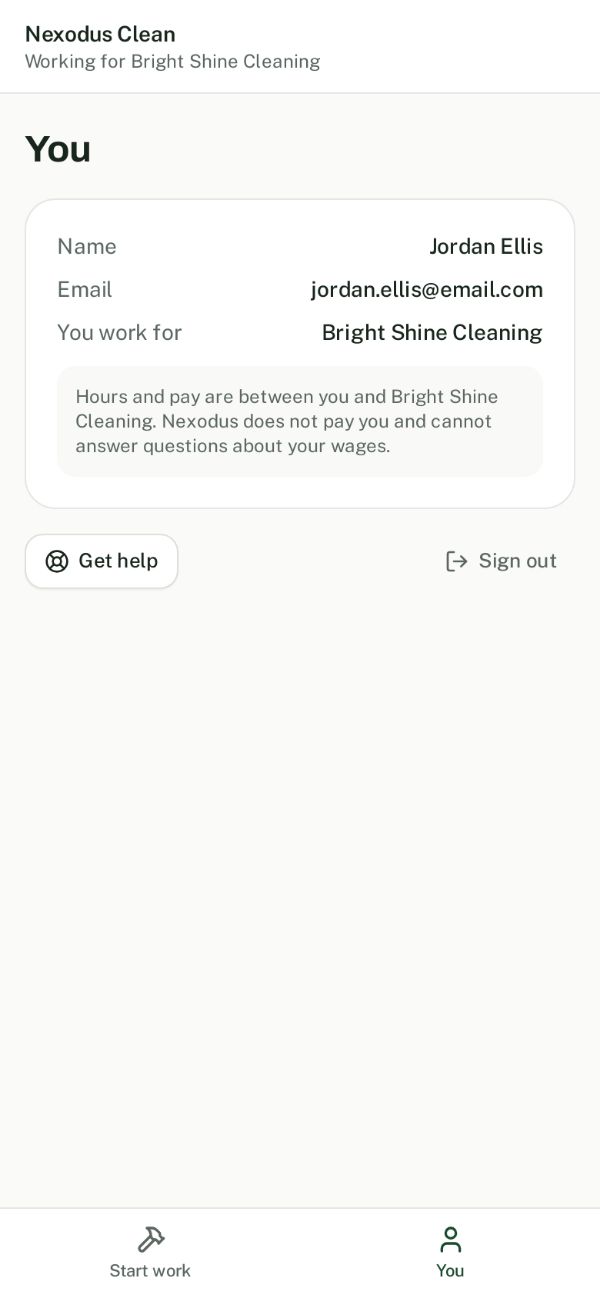
Everyone signs in as themselves. Crew never see pay, rates or bidding.
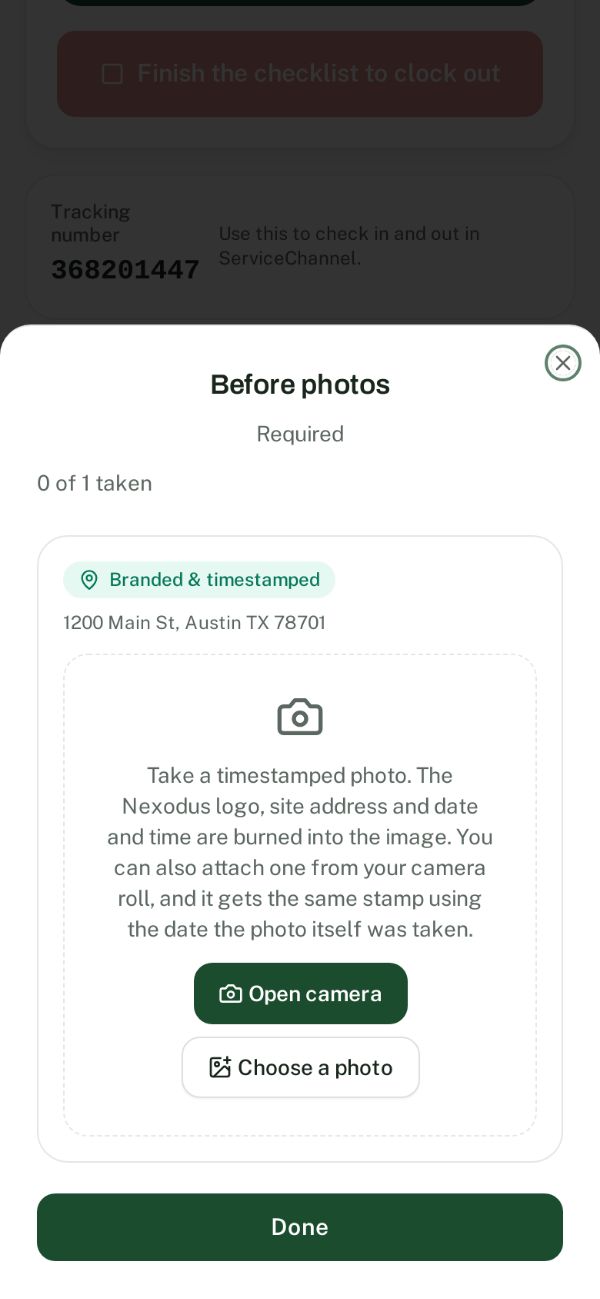
Clock in, the compliance checklist, the tracking number, photos and the manager signature.
Photos save as they are taken, so a dead phone or lost signal does not cost you a visit.
Every visit goes toward your pay and your compliance score, and shows who did the work.
Remove someone from My team at any time and their access stops right away.
How to request access for your crew
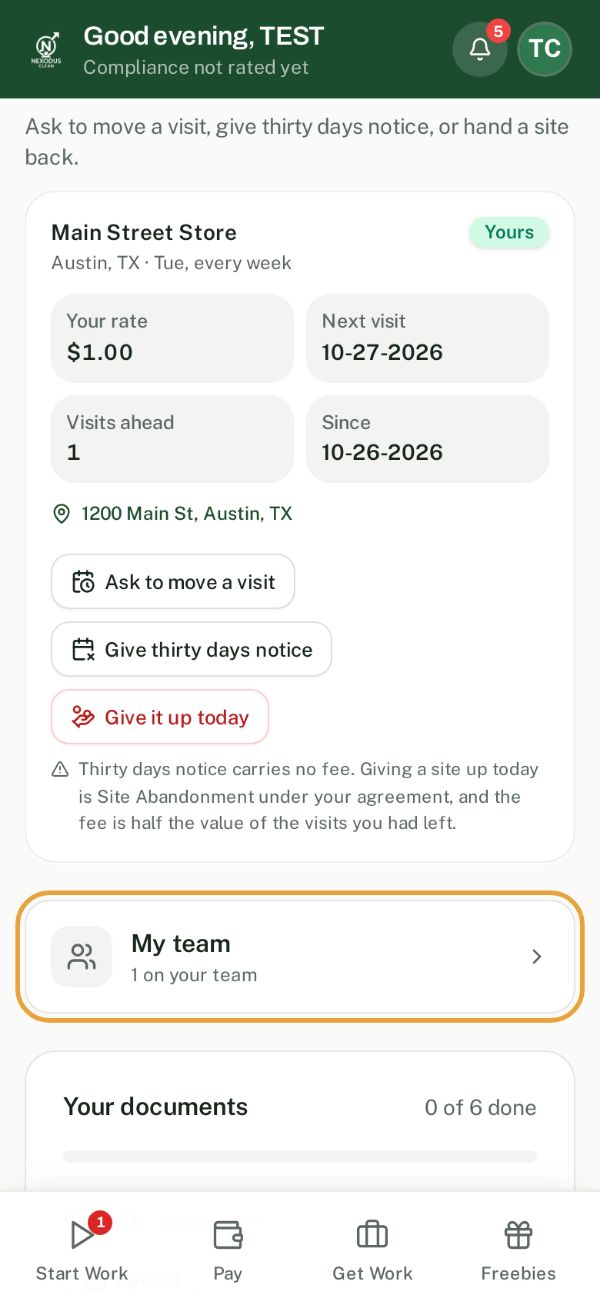
- 1Open My team
In the app, go to Profile and Settings and tap My team.
- 2Add someone
Tap Add someone. Enter their full name and their own email address, not yours. Then tap Send request.
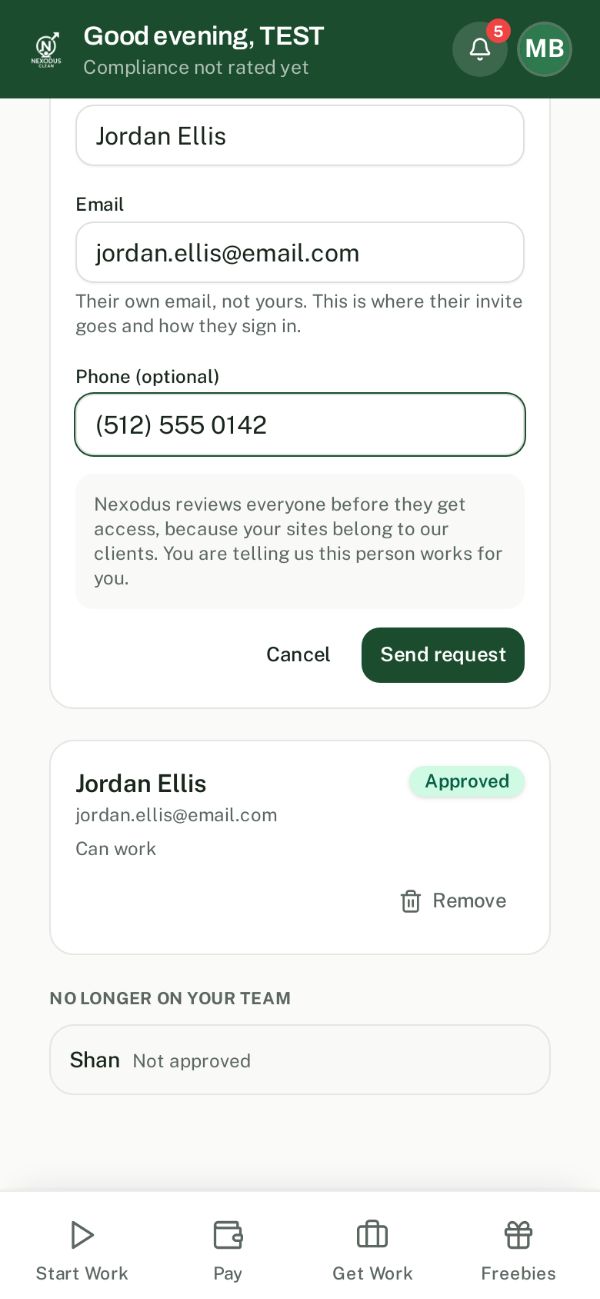
- 3Nexodus approves, they get an invite
We review the request and you get a notice in the app. Your crew member gets an email to create their account with that same email. Their status then reads Can work.
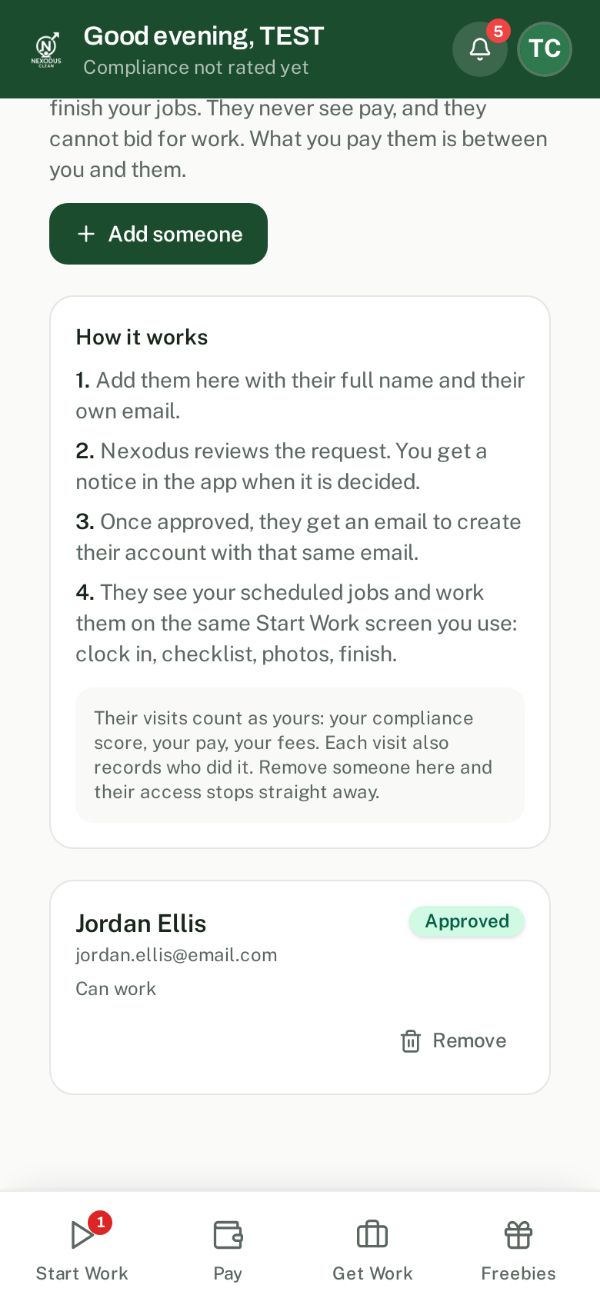
- 4They work your jobs
They see your scheduled jobs and work them on Start Work: clock in, follow the checklist, take photos, finish.
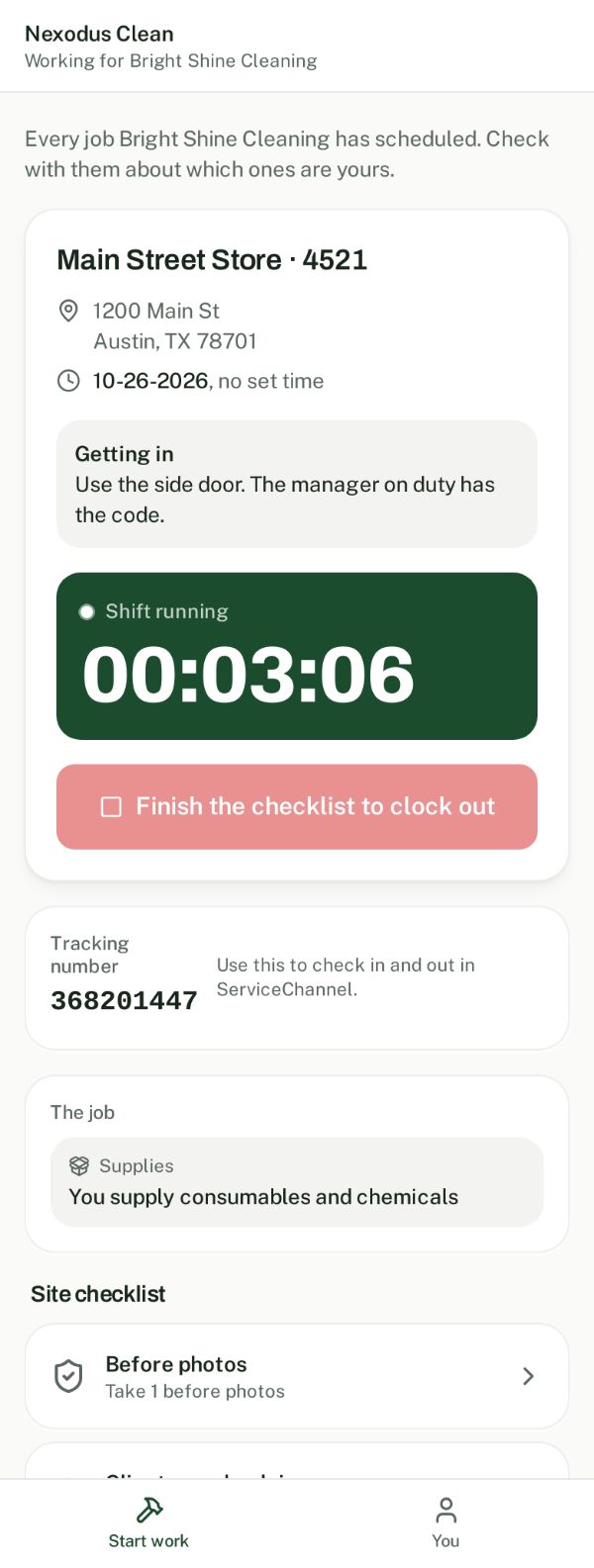
What your crew sees
Two tabs: Start work and You. Your jobs, the address, how to get in, the tracking number and the checklist. No pay, no bidding, no other sites.
Nothing changes for you. Keep using the app exactly as you do today. My team is ready whenever you grow and bring someone on.
Good to know
- Who pays my crew?
- You do. Nexodus pays you for the visit, exactly as if you did it yourself. What you pay your crew is between you and them.
- How is a crew visit scored?
- It counts toward your compliance score, so walk your crew through the checklist before their first visit.
- Which jobs do they see?
- All of your scheduled jobs. You decide who goes where, the same way you would with any employee.
- Their own email, always
- Each person needs an email of their own. It is how the app knows they work for you.
- Someone leaves?
- Tap Remove on My team. Their access stops straight away.